
Use the free YouTube SEO Checker to check your video score in 10 seconds. Paste your video link, click Analyze, and you will see what is good and what to fix. No sign-up is needed.
You do not need to guess why a video is not getting views. The YouTube SEO Checker tells you the answer in plain words. It checks 9 things in your video, gives you a score out of 100, and shows you what to fix first.
In this guide, you will learn what the YouTube SEO Checker does, how to use it in 4 simple steps, what your score means, and how to fix a low score. You will also see a real test result, so you know exactly what to expect.
Table of Contents
What Is a YouTube SEO Checker?
A YouTube SEO Checker is a free online tool that checks your YouTube video and gives it a score. SEO means Search Engine Optimization. In simple words, SEO is the work you do so YouTube and Google can find your video and show it to more people.
The YouTube SEO Checker looks at 9 things in your video: your title, your keyword in the first part of your video, your hashtags, your closed captions, your video quality, your thumbnail, your description, your tags, and your external links. Closed captions are the words on the screen that show what is said in the video. External links are links you add to your website or social media.
For each thing, the YouTube SEO Checker gives you one of 3 results: Perfect, warning, or critical? “Perfect” means it is good. Warning means it needs a small fix. Critical means it is missing or wrong, and you should fix it first.
How to Use the YouTube SEO Checker in 4 Steps
You do not need an account, and you do not need to install anything. Follow these 4 steps.
Step 1: Copy your video link
Go to YouTube, open your video, and copy the link from the top of your browser. You can check your own video, or a video from another channel to learn from it.
Step 2: Paste the link in the YouTube SEO Checker
Open the free YouTube SEO Checker here: YouTube SEO Checker. Paste your video link in the box that says Video URL.
Step 3: Click Analyze
Click Analyze. The YouTube SEO Checker will check your video. The full check takes under 10 seconds.
Step 4: Read your score and fix the problems
You will see your overall SEO score out of 100 and the result for each of the 9 things. Start with any item marked “Critical,” then fix the items marked “Warning.” After you fix them, check your video again with the YouTube SEO Checker to see if your score has gone up.
Test Result: What the YouTube SEO Checker Showed for a Real Video
I tested the YouTube SEO Checker on 24 November 2026 with this video: Rick Astley—Never Gonna Give You Up (Official Video) (4K Remaster). The tool found the video correctly. Here is what it showed, word for word from the screen.
Overall SEO Score: 89 out of 100. The tool said, “Great job! Your video is well optimized.”
The 9 results were:
- Title: Warning — 55%
- Keyword in Intro: Perfect—100%
- Hashtag Count: Perfect—100%
- Closed Captions: Perfect—100%
- Video Quality: Perfect—100%
- Thumbnail Quality: Perfect—100%
- Description Length: Perfect—100%
- Tag Count: Perfect—100%
- External Links: Perfect—100%
No item was marked critical. The tool gave only 1 improvement: “Title Length—Aim for 50-60 characters for best CTR.” CTR means click-through rate. In simple words, it is the number of people who click your video after they see it. A title of 50 to 60 characters is easy to read and gets more clicks.
Your score will be different because your video is different. Use your own score to find what to fix in your video. Do not copy the score from this test into your video.
What Does Your YouTube SEO Checker Score Mean?
Use this simple guide to read your score from the YouTube SEO Checker.
- 80 or more: Good. Your video is well optimized. Fix any warning items, then move on to your next video.
- 60 to 79: Okay, but it needs work. Fix the warning and critical items first, then check again.
- Under 60: Low. Your video is missing important things, such as a good description, captions, or tags. Fix the critical items first.
A high score does not promise that your video will rank first or get a fixed number of views. It means your video is easy for YouTube to understand, and that gives it a better chance to be shown. Good content, a good title, and a good thumbnail still matter most.
How to Fix Each Problem the YouTube SEO Checker Finds
When the YouTube SEO Checker shows a warning or critical item, use the right free tool to fix it. Do not try to fix everything at once. Fix one thing, save it, and check again.
If your title is weak,
Use the free YouTube Title Generator to get a clear title with your main keyword. Keep your title between 50 and 60 characters, and put your main keyword near the start. Read more in What Is YouTube SEO?.
If your description is weak,
Use the free YouTube Description Generator to write a clear description in seconds. Write at least 200 words, put your main keyword in the first two sentences, and add timestamps and links. For ideas, read YouTube Description Ideas.
If your tags are weak
Use the free YouTube Tag Generator to get 10 to 15 tags for your video. Put your main keyword first, then add related tags. For the full guide, read YouTube SEO Tags Generator and Tags Generator for YouTube.
If your thumbnail is weak
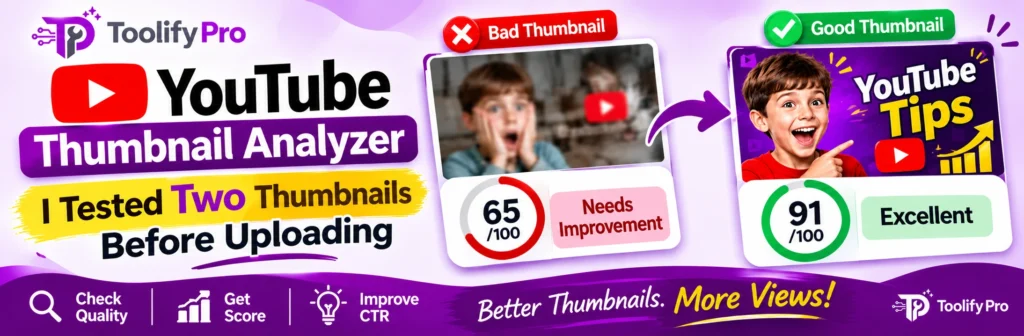
Use the YouTube Thumbnail Analyzer to check your thumbnail before you upload. A clear thumbnail with easy-to-read text gets more clicks. Do not use a dark or blurry thumbnail.
If your hashtags are weak
Use the free YouTube Hashtag Generator to get hashtags for your video. Use 3 to 5 hashtags in your description. Do not add more than 60 hashtags—YouTube will ignore all of them.
5 Common Mistakes to Avoid
- You check the score once and never fix anything. A score only helps if you fix the problems it shows.
- You only fix the score, not the video. A good score with a boring title and a dark thumbnail will still get few clicks.
- You add too many tags. Use 10 to 15 related tags, not 50 unrelated tags. YouTube allows up to 500 characters for tags in total.
- You copy tags from a big channel without checking if they match your video. Tags must match your video topic.
- You forget captions. Upload correct captions if you can. They help YouTube understand your video and help more people watch it.
Checklist: Before You Publish Your Next Video
- Title is 50 to 60 characters, with the main keyword near the start.
- The description is at least 200 words, with the main keyword in the first two sentences.
- You have 10 to 15 related tags.
- You have 3 to 5 hashtags in the description.
- The thumbnail is clear, bright, and easy to read.
- Captions are added if you can.
- You checked the video with the YouTube SEO Checker, and the score is 80 or more, or you fixed the critical items.
Frequently Asked Questions
Is the YouTube SEO Checker free?
Yes. The YouTube SEO Checker is free, and no sign-up is needed on ToolifyPro. You just paste your video link and click Analyze.
How long does the YouTube SEO Checker take?
Under 10 seconds for the full check. You will see your score and the 9 results on the same page.
What is a good score in the YouTube SEO Checker?
A score of 80 or more is good. A score under 60 is low and means your video is missing important things. Fix the Critical items first.
Can the YouTube SEO Checker check another channel’s video?
Yes. You can paste any public YouTube video link. This is a good way to learn from videos that rank well. Do not copy their tags blindly—use only the tags that match your video.
Does a high score in the YouTube SEO Checker promise more views?
No. A high score means your video is easy for YouTube to understand. It does not promise a rank or a fixed number of views. Good content, a clear title, and a good thumbnail still matter most.
How often should I use the YouTube SEO Checker?
Check each video after you upload it, and check it again after you fix the problems. Also check it again when YouTube changes its rules, or when your views go down.
Try It Now
Open the free YouTube SEO Checker, paste your video link, and check your score in 10 seconds. Fix the critical items first, then check again. That is the fastest way to find what is holding your video back.