
YouTube Title Generator
AI-powered titles + YouTube data insights + SEO analysis — all in one tool
Generating titles with AI…
Fetching YouTube data…
Analyzing SEO quality…
Enter a title above and click Analyze to see your full SEO report
A YouTube title lets your users know whether the video is to be watched or ignored; this is the first thing that appears in the search result, and the YouTube algorithm understands your content. What about the content itself?
Weak titles suppress impressions, kill CTR (click-through rates), and limit reach, no matter how good the content is in the video.
The YouTube title generator creates SEO-optimized and high-CTR titles instantly and has a built-in feature to analyze the title and suggest more precise ones as well as a feature that searches videos that are trending on related titles and keywords.
If you are a new creator and finding a path or scaling your channel, then this tool provides a complete title optimization workflow: generate, analyze, refine, and publish.
Table of Contents
What Is a YouTube Title Generator?
A YouTube title generator is an online tool that generates, analyzes, and optimizes the YouTube video title to provide better visibility, a high CTR, and increased audience engagement.
Simply enter the primary keyword or video topic and click “generate.” The tool instantly creates the SEO-optimized titles. The tool itself has a feature that analyzes each title and suggests changes, as well as a way users can search for YouTube videos that are ranking on the same keyword.
How Do YouTube Titles Affect Your Video Rankings?
YouTube video titles are the most important and critical on-page signals for both YouTube and Google Search algorithms. The algorithm analyzes the title and matches the keywords and structure to the most relevant videos.
YouTube is the second-largest search engine after Google, and it has millions of videos. When a user searches a topic, it queries the database and retrieves the most relevant videos. While querying the database, it analyzes the video titles that are keyword-rich and well-structured and ranks them higher in YouTube searches as well as in Google video carousels and suggested feeds.
Titles directly increase the CTR (click-through rates) beyond the ranking only. According to YouTube’s Creator Academy, CTR is the most important and strongest signal that YouTube’s algorithm uses to send videos in suggestions and distribute them. If a video gets a higher CTR, then the YouTube algorithm understands that the video is relevant to the user’s search intent and distributes the video in search, suggestions, and feeds.
How Does the YouTube Title Generator Work?
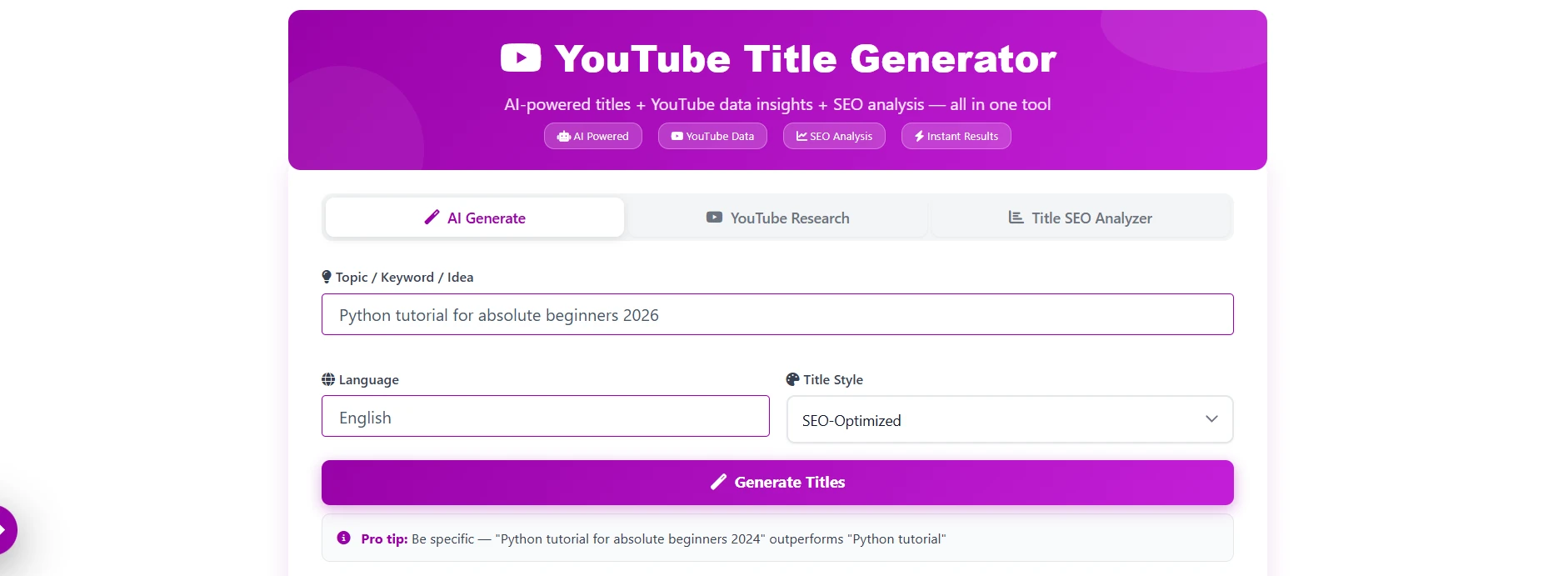
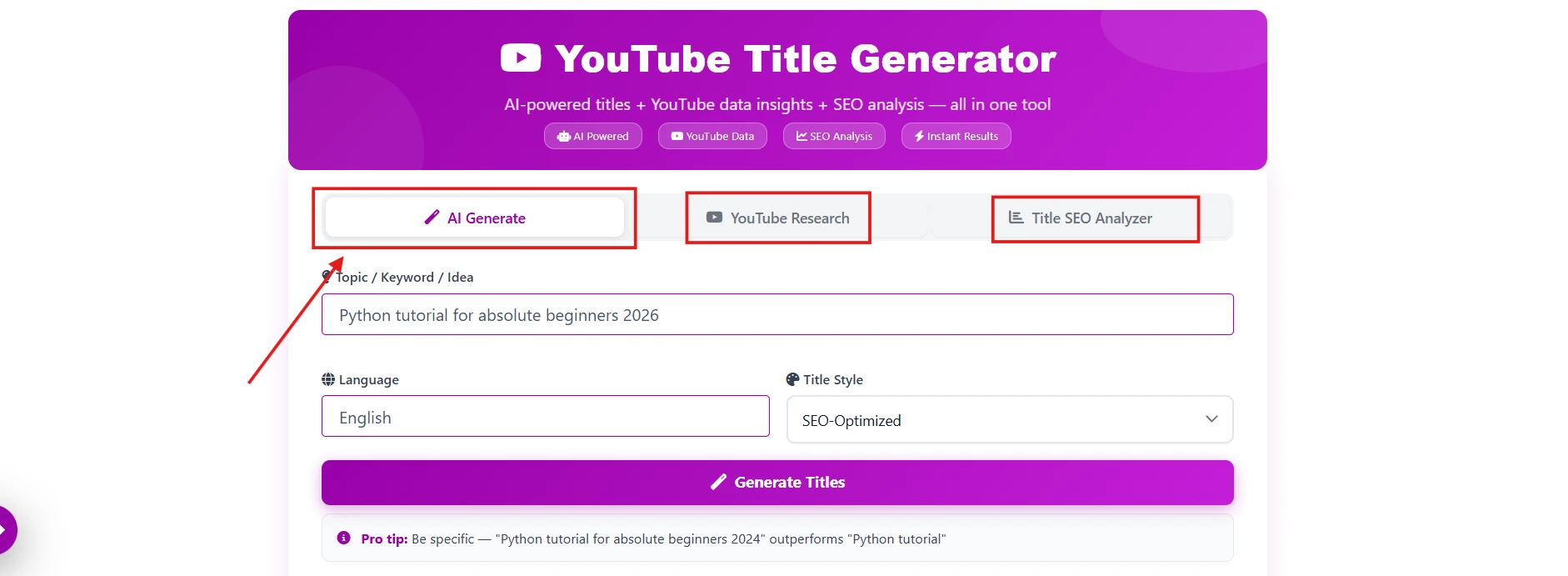
Write and analyze your YouTube title within 60 seconds. The tool has three premium features: AI title generation, YouTube research, and title SEO analysis. Just follow the steps below.
Step 1 – Select an Option: What do you want to do? For title generation, select the first option, “AI Generate.”
Step 2 – Enter Your Topic or Keyword: Simply enter the video topic, primary keyword, or description related to your video.
Step 3 – Set Your Preferences: Select the suitable language for the title and choose a title style from the predefined dropdown menu or add a custom one.
Step 4 – Generate Titles: Click on the “Generate Title” button. The tool will analyze YouTube search results and generate the most relevant titles based on your keyword.
Step 5 – YouTube Research: Switch to the YouTube Research option to find trending videos with matching titles and keywords.
Step 6 – Title SEO Analysis: Now check the SEO parameters and score. A score above 80 is considered the best.
Step 7 – Copy and Publish: Copy the best title and use it directly for your YouTube videos.
What Does This AI YouTube Title Generator Do?
This is not just a title generation tool; it’s a complete AI-powered title optimization kit that generates titles, finds trending keywords, searches competitors, and analyzes the SEO score of the title. This is a workflow to maximize the performance of each title that you publish.
SEO-Optimized Title Generation
Generate a title by just entering the topic or keyword. Create curated titles that include an SEO score analysis button to analyze character length, title styles, search intent alignment, and emotional triggers to get clicks.
Title Styles — Predefined and Custom
It has a feature to set styles in the video titles, including how-to, listicle, question, comparison, emotional hook, and news-style; if the content is beyond the category, then you can define a custom style that matches your channel’s tone.
Trending YouTube Keyword Research
The YouTube keyword research feature allows you to do research on the title or keyword, select the YouTube research feature, enter the title or keyword, and click the “find top videos” button. It will find the videos that are trending and getting high traffic on YouTube. This feature prevents you from creating videos with titles that people are not looking for and gives you an idea to select the correct topic.
200+ Languages Supported
This YouTube title generator can create titles in more than 200+ languages, which include Hindi, English, Spanish, Portuguese, French, German, Japanese, and 195+ more that are fully supported.
What Makes a Good YouTube Title? Key SEO Factors Explained
| Factor | Optimal Range | Why It Matters |
|---|---|---|
| Character Length | 50–60 characters | YouTube truncates the extra characters in search results, suggestions, and feeds. |
| Keyword Position | First 4–5 words | Keywords help the YouTube algorithm to understand the content and rank it. |
| Power Word Usage | 1–2 power words per title | Adding emotional or catchy words in the title attracts the user and increases the CTR. |
| Number Inclusion | Use when relevant | This technique helps viewers understand the exact steps demonstrated in the video example. Learn video editing in five steps. |
| Uniqueness Score | High | Making a unique title may make your video stand out from your competitors’. |
Key Features of This Free YouTube Title Generator
Build a powerful title creation cum search engine optimization tool for faster long-term YouTube growth. Here are the top features that make this tool stand out from others.
- Optimized Titles: Creates titles that the YouTube algorithm loves to rank on top, within the character limit, including keywords and tone.
- YouTube Research: The built-in research feature finds the videos that are ranking on the same keyword and matching title, helping creators to analyze the competition.
- Title SEO analyzer: Checks factors that are impacting SEO, which includes title length, word count, power words, numbers and questions, and keywords. Based on analysis, it gives a score out of 100 and suggests optimized titles.
- Language support—Generate titles in 200+ cross-origin languages to support international content creators.
- Tone Style: Create a title based on the video contents, how-to tutorials, storytelling, SEO optimization, and custom content.
- One-click analysis and copy: Analyze each generated title in one click and copy the best optimized title in one go and use it directly for your videos.
- No Sign-up: Use the tool free without signing up or a subscription.
- Fast Results—Takes only a few seconds to generate the SEO-optimized titles.
Tips to Write the Best YouTube Titles
Here are a few pro tips that help you to grow your YouTube channel faster.
- Try to create a title under 60-70 characters only.
- Must also include the numbers in the title, such as Top-5 Mobiles.
- Try to add emotion and urgency in the title, just like “Wow, what an amazing website!”
- Anyway, remember to avoid clickbait.
- The thumb, title, and inside content must match to retain the audience.
Frequently Asked Questions
Is this YouTube title generator free to use?
Yes, the tool is completely free without any limitations; no sign-up is required to use it.
How many title options does it generate at once?
Generates 10 unique titles per request; you can choose the most related one for your video.
Can I use this tool for any YouTube niche?
Yes, you can use this tool for any niche, whether education, gaming, tech, lifestyle, finance, fitness, cooking, travel, and more.
Does the Title SEO Analyzer work on titles I write myself?
Yes, the tool does analyze the manually written titles and generate an SEO score report; the title generator is not limited to AI titles only.
What languages does the YouTube Title Generator support?
200+ languages are supported, including Hindi, Spanish, French, Arabic, Portuguese, German, Japanese, Bengali, Swahili, and more.
How do I know which generated title is best for SEO?
The tool generates 10 titles per request. Select the best one, copy it, and paste it to the Title SEO Analyzer and check the score; if it is 80 or above, 80 means it is the best title for the videos.
Can updating an old video’s title improve its performance?
Yes, you can. It helps to improve the declining impression and CTR of your old videos; the new title refreshes the old keywords that are outdated now.
Will an AI-generated title get my video penalized?
No, AI-generated titles are 100% safe. YouTube does not have any policy for AI-assisted titles; the thing that matters is that you are not misrepresenting the misleading clickbaits.