
Youtube Tag Generator Free
100% Free Forever | ⚡ Instant Results | 🎯 SEO-Optimized Tags | ✅ Used by 100K+ creators | 📋 One-Click Copy
Introduction
The YouTube tag generator is a powerful SEO tool for YouTube videos that helps you to generate the best SEO-optimized tags instantly. If you want to rank your videos higher and get maximum views, then this is an essential tool for you.
Our free YouTube tag generator curates the best long-tail keywords based on user search intent to improve maximum video visibility and reach. Tags, along with a video title, description, and thumbnail, help YouTube’s algorithm to understand the video content and its audience.
Table of Contents
What is a YouTube Tag Generator?
YouTube Tag Generator Free is an online tool that generates the latest trending and SEO-optimized tags that help YouTubers and content creators grow their channels and views on their videos faster. This tool is powered by the advanced artificial intelligence that generates the attention-grabbing and catchy tags for YouTube.
For example: “how to grow a YouTube channel” results in “how to grow your YouTube channel in 2026.” Use our Youtube tag extractor tool completely free.

Why Choose Our YouTube Tag Generator?
Tags work as the backbone of videos where title, description, and thumbnail grab user attention; on the other hand, tags tell the backend algorithm exactly what the video is about.
You don’t need a separate tag generator for YouTube Shorts; the same tool is useful for regular YouTube videos, Shorts, and live streams too.
How to Use Our Free YouTube Tag Generator
Our free YouTube tag generator is incredibly simple to use; it generates SEO-optimized tags within a few seconds.
Step 1: Enter Your Video Topic
Type the video title with focused keywords (e.g., “tips to grow a YouTube channel for beginners”).
Step 2: Generate
Simply click on the Generate Tag button, and the tool will generate related tags.
Step 3: Copy & Use
Copy all or the selected tags, and you can download them in xls, csv, and text files.
Pro Tip: To generate more SEO-optimized tags, add high search intent-related keywords (e.g., “YouTube growth”) with specific long-tail tags (e.g., “how to grow a YouTube channel in 2026”).
YouTube Shorts Tag Generator — Optimize Your Short-Form Content
Our YouTube tag generator is designed to work perfectly with YouTube Shorts videos too! The short videos’ intent is different than regular videos, but you don’t need to use another tool for short video tags.
Example :
#ShortsYouTube ShortsViral ShortsTrending Shorts
How are YouTube Shorts video tags different from regular videos?
- Focus: YouTube Shorts tags are based on trends and viral content (e.g., Shorts, Viral shorts), whereas regular tags are topic-based (e.g., How to grow a YouTube channel).
- Length: Short videos are also tagged as short and broad, whereas regular video tags are detailed.
- Hashtags: While YouTube Shorts are heavily dependent on Hashtag+Tags, regular videos use fewer hashtags.
- Impact: The YouTube Shorts algorithm focuses on watch time and engagement and trends and tags slightly more than is useful for regular videos.
- Strategy: Shorts should focus on viral trends and reach, and regular videos should focus on search and ranking.
Why Use a Free YouTube Tag Generator Tool?
There are various reasons why every YouTube content creator must use our free YouTube Tag Generator Tool for their video descriptions and SEO.
- Easy to Use: We developed ours to be easy to use with a simple and clear interface for everyone.
- SEO Optimized—Our tool suggests trending and SEO-optimized tags that help to grow YouTube channels and videos faster.
- Saves Time: The manual method takes time to search for the best tags, but our tool can do the same thing within seconds.
- More Views: This tool generates better tags than manual research and boosts the channel to increase the chances of appearing in search results.
- Grow Your Channel: This tool helps you to grow your YouTube channel faster and make your reach wider.
If you’re curious and want to fuel your brain with blogs, tap to explore our blog website now! We regularly publish informative and engaging Hindi blogs for readers who prefer content in their native language.
YouTube Tag Generator Tools Comparison (Free vs Paid)
Our tool is a completely free alternative; all features are the same as those provided by the paid tools.
- Same AI-powered technology as paid tools
- Zero limitations on usage
- No forced upsells or feature locks
- Completely free, forever
| Feature | TubeToolify Pro (FREE) | TubeBuddy | VidIQ | RapidTags |
|---|---|---|---|---|
| Pricing | ✅ 100% Free | Freemium ($9–$50/mo) | Freemium ($7.5–$39/mo) | Free (Limited) |
| AI Tag Suggestions | ✅ Available | ✅ Available | ✅ Available | ❌ Not Available |
| Usage Limits | ✅ Unlimited | ⚠️ Limited | ⚠️ Limited | ⚠️ Limited |
| SEO Optimization | ✅ Advanced | ✅ Advanced | ✅ Advanced | ⚠️ Basic |
| Signup Required | ❌ No | ✅ Yes | ✅ Yes | ❌ No |
| Trending Tags | ✅ Yes | ✅ Yes | ✅ Yes | ⚠️ Limited |
Why Tags Are Important for YouTube
Tags play an important role in YouTube SEO. From a point of view, when the YouTubers add the right tags into YouTube, then the YouTube algorithm crawls the tags, titles, and descriptions and, based on that, ranks the video in the search results. that is why tags are important
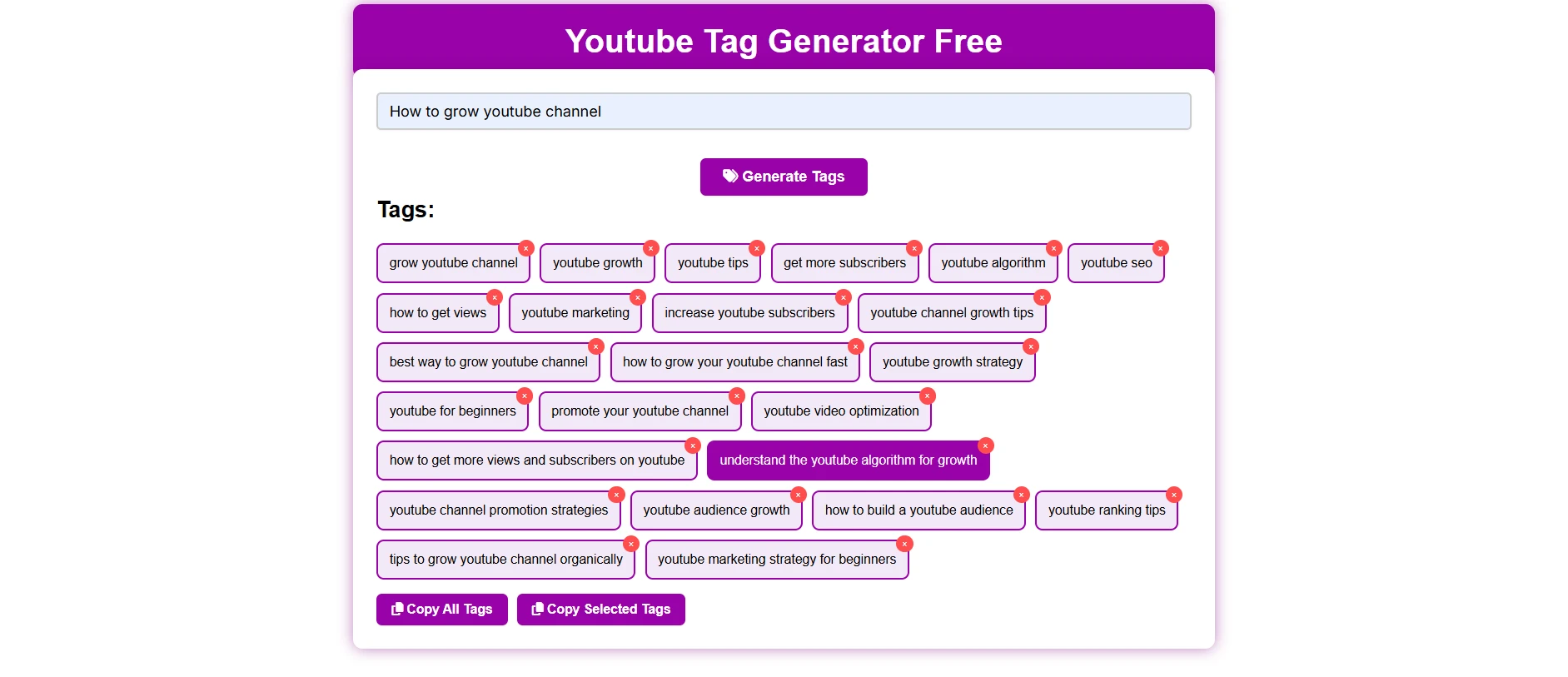
Tips for growing your YouTube channel
- We suggest you use 10-15 tags in your videos.
- While adding tags in your videos, use the main keyword in the first place.
- Use related keywords that the user is searching for, such as long-tail keywords—“how to grow your YouTube channel in 2026“
- Make sure that tags are correct and not misleading.
FAQs – YouTube Tag Generator
Can I use this YouTube tag generator for free?
Yes! Our tool is completely free for lifetime.
Are these tags used directly in YouTube videos?
Yes, you can use these tags directly in your video.
Are tags generated by this tool SEO optimized?
Yes, our tool generates SEO-optimized tags.
How many tags should I use in one video?
You can use 10-15 tags; do not use more—it may confuse the YouTube algorithm.
Does this tool work on mobile also?
Yes, you can use our tool on mobile through any web browser.
Are YouTube tags still a matter?
Of course, YouTube tags play an important role in getting more views. Tags help the YouTube algorithm to understand the video content.
Which type of tag must be used for best results?
The YouTube tag must contain the main keyword, related tags, and long-tail keywords that people search on YouTube. There are higher chances to match the user query to your tag.
Can I copy a tag from someone’s YouTube video?
Yes, you can take inspiration from other videos, but using something unique and relevant to your own video is more beneficial.
If adding more tags helps to get more views?
No, the YouTube algorithm targets only relevancy and target keyword tags instead of overstuffing. So, instead of quantity, focus on quality.
Are “tag” and “hashtag” the same on YouTube?
The purpose is the same, but tags are used to know the YouTube content from the backend, while hashtags are visible to users and help to discover YouTube videos directly.
Does this YouTube tag generator help to grow faster on Youtube?
Yes, this is designed to help the beginners to generate the SEO-optimized tags and get more views on videos.
Do I need to add a tag in the title and description?
Yes, it works as a support system for titles and descriptions, and the YouTube algorithm understands video content well.
Can I copy tags directly?
Yes, You can copy or download tags directly.