
YouTube Tag Extractor
Extract every public tag from any YouTube video instantly
Table of Contents
YouTube Tag Extractor – Extract Tags from Any YouTube Video Free
Reveal the secret behind the success of YouTube channels with our free YouTube Tag Extractor tool. With the help of this tool, you can discover the tags that top creators use in their videos for faster ranking, visibility, and boosts. views.
What is a YouTube Tag Extractor?
A YouTube tag extractor is a powerful online tool that extracts the hidden tags from YouTube videos that are not visible to normal users. Tags are the most crucial part of YouTube SEO; an algorithm reads tags, categorizes, and recommends videos to users.
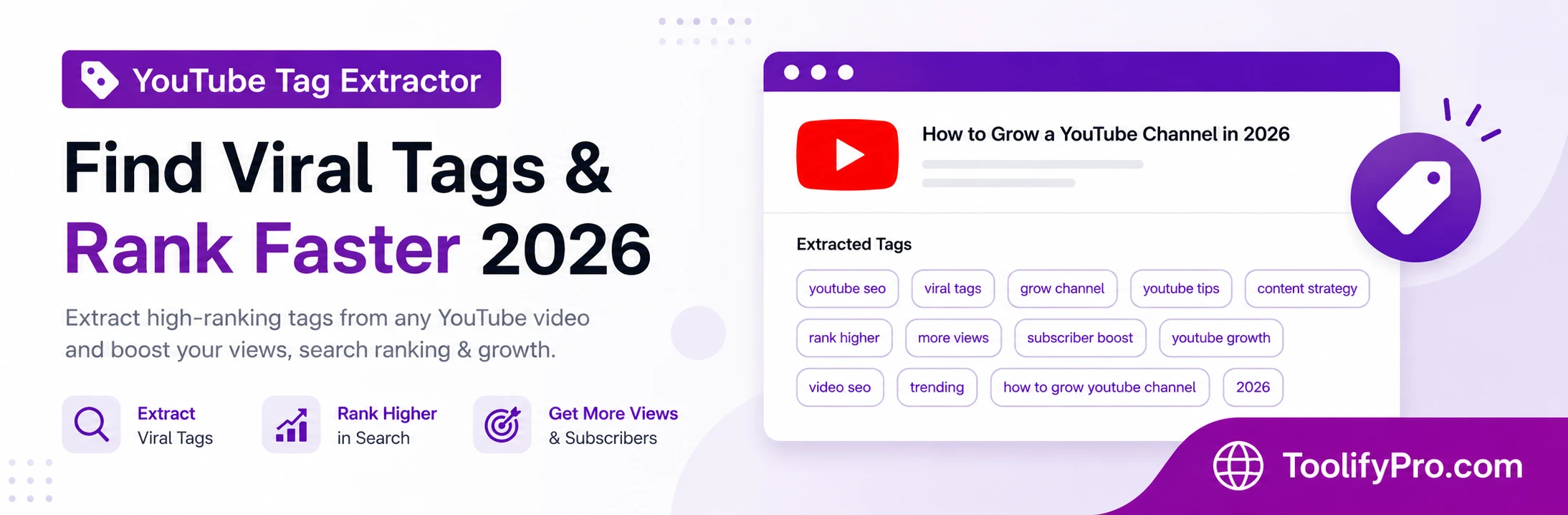
How to Use Our YouTube Tag Extractor Tool
Using our tag extractor is as simple as 1, 2, 3.
- Copy the video URL—Find your niche or competitor’s video and copy the link.
- Paste the copied link into the URL field of the tool.
- Click Extract—Just hit the extract tags button.
- View the tags—magic done; see the exact tags that are used in the video, copy them, and analyze them.
The entire process is quick and simple; you don’t even need to sign up, pay any fee, or download software.
Why YouTube Tags Still Matter in 2026
The YouTube tags help the algorithm to understand the relevance of videos, but some people think that nowadays tags are dying and becoming irrelevant; that is a half-truth.
The algorithm has become more advanced, analyzing and focusing on the title, description, and video content as well; using tags alone may not work.
- Understand context: When you upload a video and add the tags, such as “Toolifypro” and “SEO tools,” it gives a hint to YouTube that the user is searching for a video related to it.
- Misspellings: If someone is searching for your videos as “tolify pro,” the tag still helps to connect with the actual tag “Toolifypro.”
- New channels: New content creators do not have a watch history, so tags help to give direction to videos.
- Niche topics: Tags help YouTube’s algorithm to display very relevant videos to the users from page one to ten.
YouTube Tag Extractor for Shorts
YouTube Shorts are more focused on trends instead of SEO, but tags still matter and require special attention to help the algorithm show related short videos to users. The YouTube tag extractor also works perfectly with YouTube Shorts videos.
Insights:
- Tags are currently trending.
- Short and long tags.
- Category-specific popular tags.
Short videos work on heavily lean, trending, viral, and challenging keywords, whereas regular videos follow traditional tag-wise category methods.
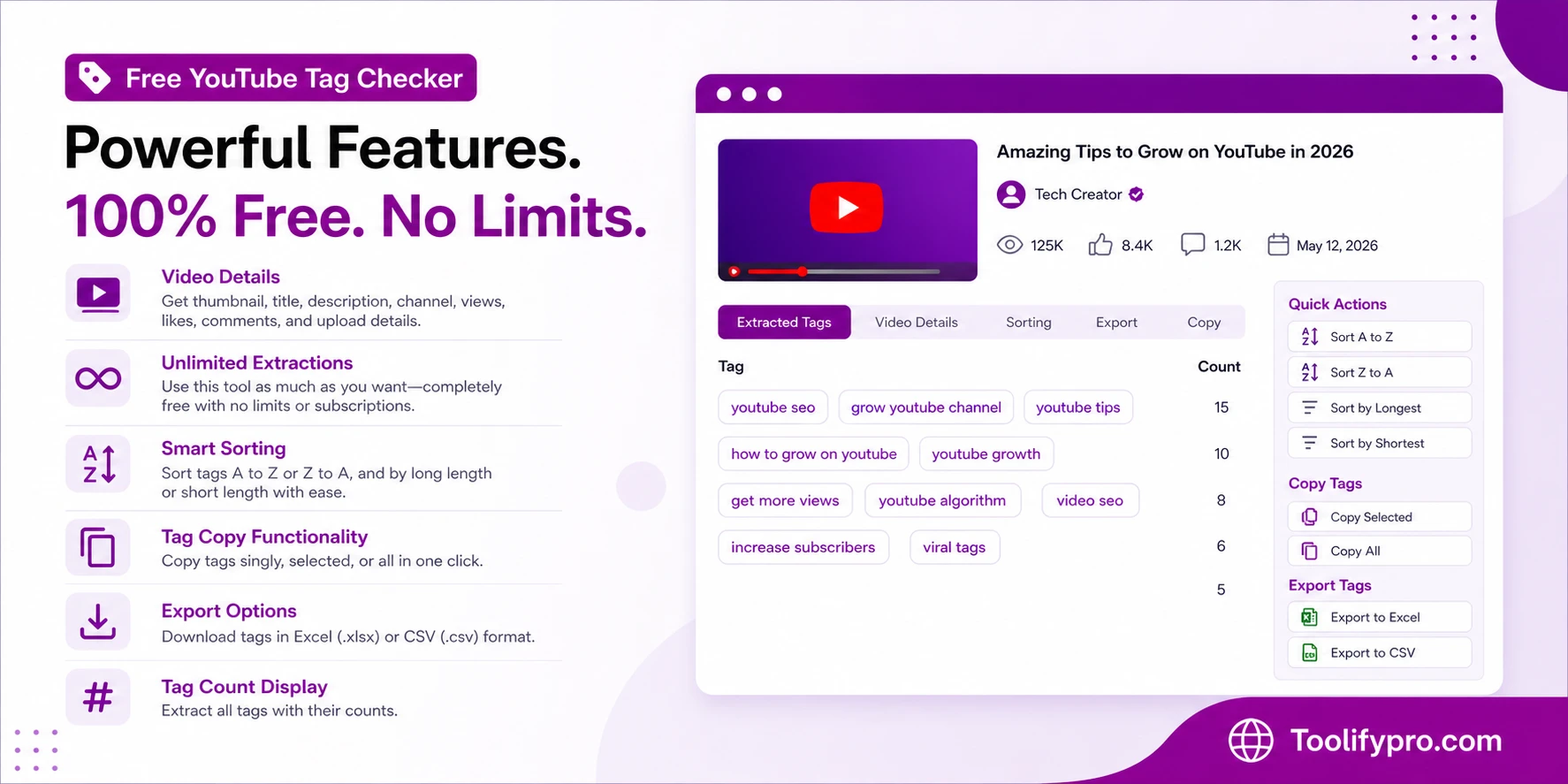
Free YouTube Tag Checker Features
This YouTube tag extractor tool is completely free with full features, whereas some tools require a subscription to access all features.
- Video details: thumbnail, title, description, channel, views, likes, comments, and upload details.
- Unlimited extractions—Completely free tool use as much as you want with no limits or premium subscriptions.
- Sorting—the user can sort tags A to Z or Z to A, as well as long and short lengths, easily.
- Tag copy functionality—copy tags singly, selected, or all in one click.
- Export options: Users can download the Excel file and CSV file for tags.
- Tag count display—The tool extracts all the tags that are included in the video with their counts.
YouTube Tag Extractor for Competitive Research
The real power of a YouTube tag checker isn’t just copying tags—it’s competitive intelligence. Here’s how savvy creators use tag extraction:
- Reverse-engineering success. Find the top-performing video in your niche, extract its tags, analyze which ones appear most frequently across multiple successful videos, and build your own tag strategy around proven winners.
- Gap analysis. Extract tags from your competitors and compare them to your own. You’ll often discover valuable keywords you’ve completely overlooked.
- Trend spotting. By regularly extracting tags from trending videos in your category, you can spot emerging keywords before they become oversaturated.
- Niche discovery. Sometimes the tags you extract reveal unexpected sub-niches or angles you hadn’t considered for your content.
Best Practices for Using Extracted Tags
Extracting your competitor tags is only step one of YouTube SEO practices.
- Don’t just copy-paste: copying tags blindly from others’ videos may not work for your videos because their videos are on specific content; the best practice is to identify the best relevant tags for your video.
- Prioritize relevance over quantity: YouTube allows you to add tags up to 500 characters. Most people utilize the complete limit, but overstuffing of keywords does not guarantee ranking; instead, you must use only the most relevant tags that genuinely describe your videos.
- Front-load your best tags: YouTube focuses on the most related tags, so while adding, put the most important and relevant tags first.
- Balance competition levels: Include the low-competition long-tail keyword in your videos and mix some high-competition keywords like “fitness” and the long-tail keyword “fitness tips for elderly people.”
- Update tags based on performance: Start monitoring the tags that are extracted and applied in your videos. Will they work or not?
YouTube Tag Extractor vs. YouTube Studio
YouTube Studio: YouTube Studio is a hub for creators to manage their channels, like uploading, deleting, and adding tags, but it works for you only.
YouTube Tag Extractor: This is a special tool that extracts tags from everyone’s videos, which helps you to analyze computer videos and grow channels.
Common Mistakes When Using Tag Extractors
This past year, most creators have sabotaged themselves by making multiple errors.
- Randomly adding trending or viral tags to your videos is a mistake. Tags must match the video content to avoid confusing viewers.
- Overlooking tag length: Extracting tags and overstuffing the YouTube video is a mistake, whereas YouTube only analyses the top-most matched keywords instead of limiting what users think to add as maximum tags in videos.
- Remember, hashtags aren’t tags: Most creators get confused between hashtags and tags, whereas hashtags are used in titles and descriptions, and tags work in backend metadata.
- Never-refreshing tag strategy: YouTube made changes in its algorithm, so creators must focus on it and make a strategy accordingly. Tags that worked in the past year may underperform today.
How YouTube’s Algorithm Uses Tags
Let’s understand how the YouTube algorithm processes tags to show results to users.
YouTube search and discovery uses an algorithm that uses tags as main keywords and matches them to title, description, video content, and engagement metrics. Based on these factors, it shows your video in the search and discover list.
Tags are stored in backend metadata storage and labeled, and the same label is important when the category suggests videos to users, similar to categorizing books for effortless browsing.
Extractor for YouTube Tags for Various Content Types
Each tag has a distinct strategy based on its niche; they are not restricted to a single category.
- Educational content: Question-based tags, such as “How to,” “Tutorials,” and “Explanations” with the video topic, are necessary to obtain the benefits of the tags on educational videos.
- Entertainment videos: Trending tags and phrases, like “Hollywood sci-fi movie,” are the best options for making a video go viral, but they must be included in the title.
- Product reviews: The model number, brand comparison keyword, price range, and other details must be mentioned in these kinds of videos together with tags.
Select the video associated with the categories that correspond with your video while extracting tags, then create categories based on strategies.
Start Extracting Tags and Growing Your Channel
Discover the tags and apply them to your video and see the magic; the visibility of your channel starts increasing over time. The tags used by other popular channels are the tested blueprint; rather than guessing keywords, struggling channels must add these small optimizations to their videos.
Our free YouTube tag extractor is the magical tool that reveals the secrets of big creators and helps small creators to grow like them.
Apply a simple formula now: Extract. Analyze. Apply. Grow.
The 2-3 most relevant tags have the potential to gain millions of views; you are just one URL away from it, so start using them today.
Frequently Asked Questions – YouTube Tag Extractor
How to extract tags from a YouTube video URL
Simply copy the URL and paste it in our tag-extracting tool and click “extract tags”; within a few seconds all the hidden tags are revealed.
Is the YouTube tag extractor free?
Yes, our YouTube tag extractor is 100% free; there is NO SIGN-UP or PREMIUM SUBSCRIPTION required.
Do YouTube tags still work in 2026?
Yes, tags are still working and important for SEO. Title descriptions are visible to users, but tags work in backend metadata, which YouTube’s algorithm reads.
How many tags should I use on YouTube?
Use the best optimized 5-15 tags only, instead of overstuffing, for better visibility and ranking. Quality matters, not quantity.
Can I copy tags from other YouTube videos?
You can copy the tags, but apply them blindly for analysis; tags must match and describe your video’s content.
Can you extract tags from YouTube Shorts?
Of course, our tool perfectly works with YouTube Shorts; simply copy the short URL and just paste it into the tag extractor tool.
What’s the difference between tags and hashtags on YouTube?
Tags are not visible to users; they are hidden metadata. The YouTube algorithm uses them to categorize videos and rank them. Hashtags are visible, clickable symbols that help viewers discover videos with the same hashtag.
Why can’t I see tags on YouTube anymore?
Previously, tags were visible to the public, but in 2018-19, YouTube removed them from public view to reduce spamming, but users can still see their own tags through YouTube Studio. However, tags still matter for SEO; you can still extract public tags with our tool.
Why are tags not showing for some YouTube videos?
Yes, it may happen in some videos because creators didn’t add any tags to their videos; most successful YouTube channels don’t rely on tags.