
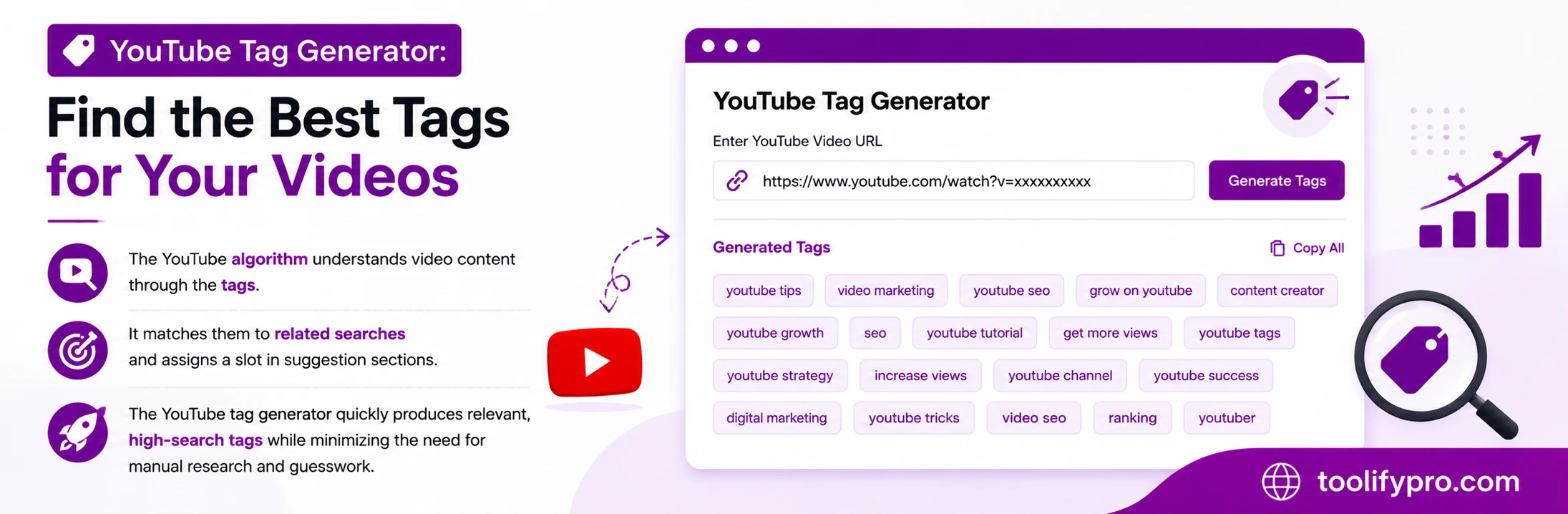
The YouTube algorithm understands video content through the tags. What about the videos? It matches them to related searches and assigns a slot in suggestion sections. The tags generator for YouTube quickly produces relevant, high-search tags while minimizing the need for manual research and guesswork.
Table of Contents
What Does a Tags Generator for YouTube Do?
The YouTube tag generator is an AI-powered free tool that generates relevant keywords based on the creator’s video topic and title. These keywords are trending and SEO-optimized for content creators to grow their channels and increase views. Tags are categorized in the short-tail, medium-tail, and long-tail that match the search pattern.
Direct answer: Enter your video title or main keyword into the YouTube Tag Generator, and it instantly generates a list of optimized tags you can copy directly into YouTube Studio.
Do YouTube Tags Still Matter in 2026?
Yes, the YouTube algorithm understands the video content through tags; it matches the keywords in the search pattern and starts showing videos in search results and suggestions, but honestly, tags alone cannot rank. The video must have the optimized title and catchy thumbnail because both of the things are visible to humans and help them with decision-making, whereas tags help the algorithm send the videos in the search results and suggestion feeds.
- Misspelling and synonym coverage—Generally, viewers type the wrong spelling and synonym in searches. The title does include the search variations here. Tags help the YouTube algorithm to match keywords with different variations.
- Context signals—Tags help to categorize the content correctly on ambiguous topics.
- Suggested video placement—The tag helps YouTube to display related videos in suggestions, recommendations, and up next sections.
How to Use a YouTube Tag Generator
- Copy your exact video title or core topic
- Paste it into the tag generator tool
- Review the generated tag list.
- Select 10–15 tags most relevant to your content—avoid unrelated high-volume tags.
- Paste into the Tags field in YouTube Studio before publishing.
How to add tags in YouTube videos
New videos
- Sign in to YouTube Studio.
- In the top right-hand corner, click CREATE
Upload Video.
- Select the file that you’d like to upload.
- In the “Details” section of the upload flow, click MORE OPTIONS and add your tags.
Uploaded videos
- Sign in to YouTube Studio.
- From the left menu, select Content and select your video.
- Click SHOW MORE and add your tags.
Tag Best Practices
- Order matters slightly: Make sure to put the primary tag first in the YouTube Studio tag section.
- Mix broad and specific: combine short-tail (YouTube SEO tips) and long-tail (15 tips for beginners to help increase subscribers) keywords that exactly match the user’s search query.
- Check competitor tags: Before adding the tags, analyze the competitor videos with the tag extractor and see the top-ranking videos in the same niche.
- Stay under YouTube’s 500-character limit across all tags combined.
- Avoid misleading tags: do not include the unrelated high traffic that may suppress the algorithm and may increase manual intervention.
YouTube Tag Generator vs. Manual Tagging
| Factor | Manual Tagging | Tag Generator |
|---|---|---|
| Speed | 5–10 minutes per video | Under 10 seconds |
| Keyword coverage | Limited to what you think of | Includes related/synonym terms |
| Consistency | Varies by creator mood/effort | Consistent, repeatable process |
| Cost | Free (time cost) | Free |
Example: From Title to Tags
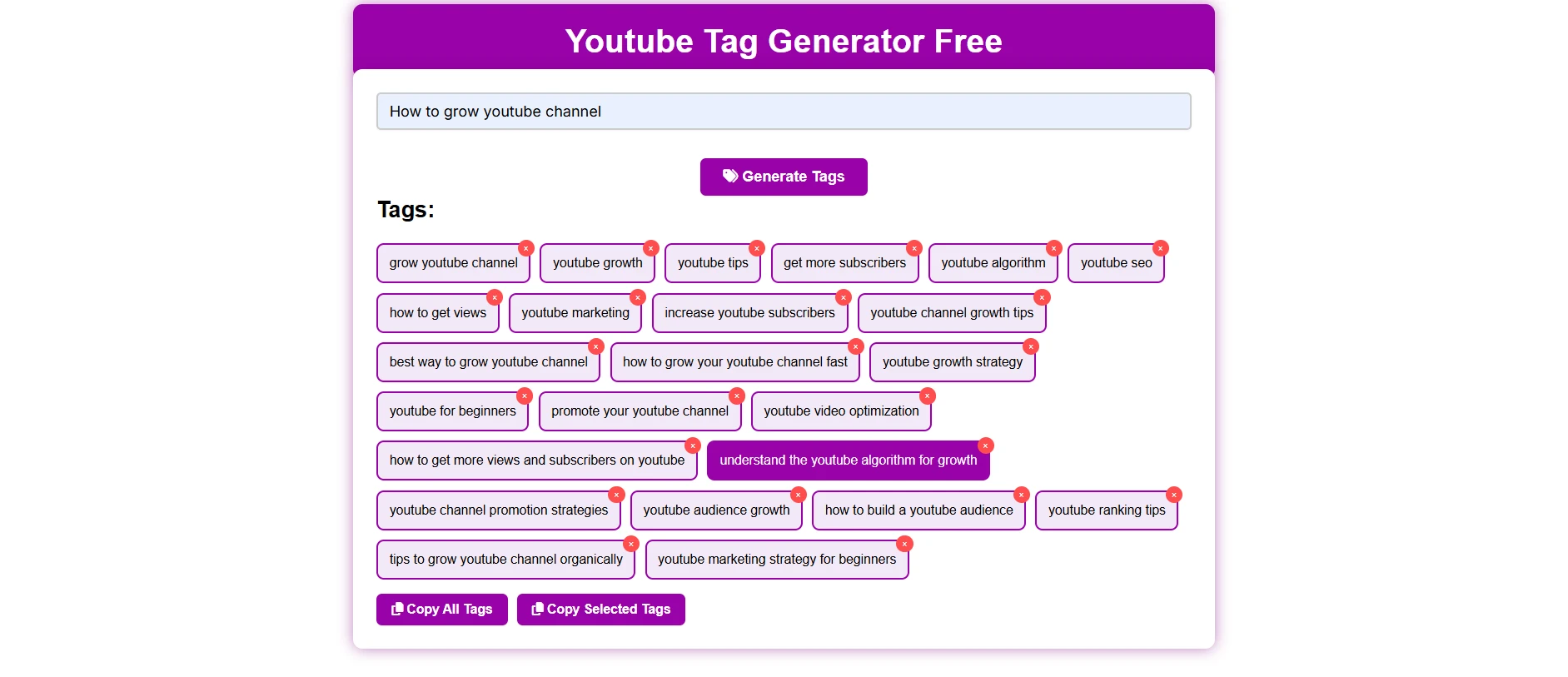
Video title: “how to grow youtube channel in 2026”
Generated tags: grow youtube, youtube growth, youtube channel, grow channel, youtube tips, youtube tricks, youtube guide, how to grow youtube channel, growing a youtube channel, youtube channel growth strategies, best ways to grow youtube channel, grow youtube channel fast, easy way to grow youtube channel, youtube channel growth tips for beginners, how to grow a new youtube channel, latest youtube channel growth techniques, top youtube channel growth methods, how to grow youtube channel in 2026, growing youtube channel in 2026
Notice the mix: exact match (“how to grow youtube channel“), broader category (“youtube channel growth tips for beginners”), and intent-based long tail (“how to grow a new youtube channel”). This range helps YouTube match the video across multiple search and suggested-video contexts, not just one narrow query.
Best Tags by Niche
Instead of writing the tag categories, you must follow the slightly different strategy, which depends on content categories.
- Gaming: The Game category must include the game title, platforms (PS5, PC), gameplay (reviews, walkthroughs), and franchise name, if any.
- Beauty: Important things to add include product name, brand, tutorial type (makeup tutorial, skincare routine), and skin/hair concerns.
- Tech reviews: Add the gadget or product name, comparison terms (“vs”), and category (best budget laptop 2026).
- Education: Add the topic, subject name, grade level, and format (explanation, tutorial, or crash course).
- Vlogs/lifestyle: Include the things that you are creating content about, locations, activity types, and lifestyle (day in the life, morning routine).
Each category in a different niche includes main keyword tags that exactly match the user intent, cater to a wide category, and make the video content stand out from the others.
Common Tagging Mistakes to Avoid
The below-mentioned things are important that you should avoid while uploading your video on YouTube.
- Tag stuffing: Adding too many unrelated tags diluted the relevance signals instead of strengthening them; add 10-15 related tags that are exact matches, category matches, and user search intent-based.
- Copying competitor tags Wholesale: Do not directly copy the competitor video tags; it makes a mismatch of categorization and confuses the YouTube algorithm. Instead, analyze the competitor videos’ tags and use only tags that are related to your videos.
- Ignoring branded tags: Always add your channel name in your videos; it helps to suggest consistency across your channel.
- Using only single-word tags: Add search-intent-based tags “How to grow a YouTube channel”—this is better than the isolated words “YouTube channel.”
- Skipping tags on Shorts: Add the tags in YouTube short videos also; it helps to cross-format discovery.
Frequently Asked Questions
How many tags should a YouTube video have?
A video should have 10-15 relevant tags, which include exact match tags, focus tags, search intent-based long tail tags, and channel name as tags; this is a practical range to use them in.
Can wrong tags get my video penalized?
Misleading tags can trigger YouTube’s spam and clickbait policies, resulting in reduced reach or removal.
Is a YouTube tag generator free to use?
Yes—ToolifyPro’s YouTube Tag Generator is free, requires no signup, and runs directly in your browser.
Do tags affect YouTube SEO more than titles?
No. Titles and thumbnails have significantly more ranking weight. Tags are a supporting signal, not a primary one.
Do tags and keywords still matter on YouTube in 2026?
Yes, but as a minor signal. They help with search-term matching and categorization, not as a primary ranking driver like CTR and watch time.
Are YouTube tags actually necessary, or are they useless?
Not useless, but not critical either. Skipping them removes a small, free ranking assist; adding them costs seconds and carries no downside if relevant.
How much does the description matter compared to tags?
More than tags. The description is indexed and read by YouTube’s algorithm in more depth, especially the first 1-2 lines, which also show in search results.
How many tags and hashtags should a video have?
A video can have the 10-15 tags that are relevant to video content and 3-5 hashtags in the titles and descriptions; adding beyond this limit, YouTube ignores them.
Do tags and hashtags even matter anymore, or is this outdated advice?
No, tags and hashtags still matter for YouTube video categorization, search result optimization, and suggestion feeds, but the tags and hashtags alone do not work anymore, as their impact is decreasing as YouTube is more focused on engagement metrics, CTR, and retention.